How to Do the AI Trend on TikTok and Instagram (Hotel Lobby, Zombie and More)
Published October 6, 2026 · Updated October 13, 2026
An AI trend is a short, meme-style video made with an AI video tool using your own uploaded photos. Instead of editing a video clip from scratch, you drop clear photos of your face into a fixed, recognizable scene or story template. A new format takes over social feeds every few weeks as creators find creative ways to put themselves, their friends, or their pets into these clips. If you have been scrolling through your feed and wondering how to do the AI trend on TikTok and Instagram, the process is straightforward once you know which tools to use and how to prepare your images.
Before you begin, it helps to clear up a common point of confusion. This process is not TikTok’s built-in AI Alive feature. AI Alive is a feature inside TikTok that animates a photo from a text prompt or a preset. It is also not Instagram’s Meta AI Restyle effect in Stories, nor is it the older AI-avatar trend from apps like Lensa that generated large packs of stylized portraits. Those built-in app features and older avatar apps are what traditional search results show. If you searched how to do the AI trend on TikTok and only found app features, that is why. Modern social trends rely on AI video generators and web templates that synthesize entirely new video clips.
This guide breaks down everything you need so you know how to do the AI trend and how to make AI trend videos without getting lost in technical settings. You will find the general four-step creation workflow, detailed step-by-step guides for the popular Hotel Lobby and Zombie trends, an honest free tool comparison, solutions for common generation mistakes, and answers to frequently asked questions.
How to Do the AI Trend: The 4-Step Process
Whether you want to make a rap video, a story clip, or an emotional scene, following the core steps for how to do the AI trend is the same across almost every platform. Here is how to do the AI trend in four simple steps.
Step 1: Pick the Trend
First, choose the specific meme or scene you want to recreate. Every AI trend uses a distinct visual setup, such as a studio booth, an apocalyptic scene, or a sunset beach walk. Browsing your TikTok For You page or Instagram Reels feed will show you which templates are currently popular. Identifying the exact trend beforehand tells you how many photos you need, what kind of poses work best, and whether the trend relies on a specific built-in audio track.
Step 2: Choose Your Photos
Good photos are half of how to do the AI trend. Gather high-resolution, well-lit photos before opening any tool. Stick to a strict photo checklist: ensure there is only one person per photo, choose front-facing shots where the face is fully visible, and avoid heavy shadows or backlit backgrounds. Keep head-and-shoulders framing whenever possible so the AI can map facial features accurately. Always ask for permission before uploading photos of friends or family members to any online video generator.
Step 3: Generate the Video
Learning how to make AI trend videos comes down to picking the right generation path. Upload your photos into your selected tool to build the clip. There are three main paths available depending on your comfort level. You can use CapCut templates inside a mobile video editor, write custom prompts with reference images in AI video generators like Dreamina or Higgsfield, or use web tools like Ricebowl where you simply upload your photos into drop zones without writing prompts. Choose your settings, hit generate, and wait a few minutes while the AI processes your video.
Step 4: Post It on TikTok or Instagram
Once processing finishes, save the final MP4 file directly to your phone or computer. Open TikTok or Instagram Reels, create a new post, and upload your video file. If the original tool output includes a built-in beat or audio track that you want to replace, use the sound selector inside TikTok or Instagram to swap in a trending sound from the platform library. Finally, turn on TikTok’s AI-generated content label when you post. This label informs viewers that the video was created using AI software. This is the last part of how to do the AI trend on TikTok and Instagram.
Hotel Lobby AI Trend
What is the Hotel Lobby AI Trend?
The Hotel Lobby AI trend features two people standing in a bright orange studio while taking turns rapping into a single microphone hanging from the ceiling. The trend took off on TikTok in September 2026 as creators placed themselves, their partners, friends, family, or pets into the orange booth. That is why so many people search for how to do the AI trend with the orange booth template. Although the finished clip resembles a face swap, the whole video is generated new from your uploaded static photos.
How to Do It in 4 Steps
Here is how to do the AI trend using the Hotel Lobby generator on Ricebowl.
- Go to the Hotel Lobby AI tool page and prepare two photos. Upload your first picture into the Left Person box and your second picture into the Right Person box. Make sure each uploaded photo contains only one face.
- Select your generation settings. Choose between portrait 9:16 or alternative shapes, select 480p or 720p quality, and pick your duration. Options include 5, 10, or 15 seconds, with 15-second renders reserved for subscribers.
- Click the Generate button and sign in if prompted. Leave the browser tab open for two to three minutes while the server renders your video.
- Download the completed MP4 video to your device. Open TikTok, Instagram Reels, or YouTube Shorts and post your clip directly.
The output video comes back complete with sound featuring an AI-made beat and timed voices matched to the movement on screen. It is not a copy of any song, so you do not need to add sound in the app.
Can You Do It for Free?
If you are looking for how to do the AI trend for free, there are a few external options to consider. Dreamina offers a guide for this trend using Seedance 2.5 with two separate photos and a prompt, and it offers a free tier at the time of writing. Higgsfield also offers a free tier at the time of writing; people use its Motion Transfer model with a reference video plus portraits, though this setup is more manual. Note that free allowances and daily limits change often, so check the app directly.
On Ricebowl, the process needs no prompts, but it is not free. Generations are paid using credits. A 5-second 480p render costs 50 credits, while 720p costs 90 credits. Longer durations require additional credits, and the button shows the exact price. New accounts get 20 sign-up credits, which do not cover one video. Subscription plans start at $7.99 a month for 200 credits.
Who It Works For
This trend works with any two people: two women, two men, friends, couples, or family members. The video keeps the clothes shown in the photos. Pets and cartoons can work, but results vary more than with human faces.
Tips for Best Results
The key to how to do the AI trend with two people is clear, front-facing selfies in good light. Every render is a little different, so run it again before changing photos if your first result needs minor adjustments.
When you are ready to make your video, you can make the Hotel Lobby AI video on Ricebowl.
For complete instructions, shot breakdowns, and pricing details, read our full Hotel Lobby AI Trend guide. When you have your two portrait photos ready, you can make the Hotel Lobby AI video on Ricebowl in just a few minutes.
Zombie AI Trend
What is the Zombie AI Trend?
The Zombie AI trend creates an emotional story clip featuring a post-apocalyptic narrative. In the video, someone you love turns into a zombie. You raise a weapon but cannot pull the trigger. The zombie recognizes you and hugs you, followed by a hard cut to a warm, slow-motion golden memory of happy times together. Seeing this dramatic clip makes many people look up how to do the AI trend with their partners or pets.
How to Do It in 4 Steps
Follow these steps to learn how to do the AI trend with the Zombie template on Ricebowl.
- Navigate to the Zombie AI tool page. Upload Photo 1, which represents the person or pet who turns into a zombie. Photo 2 (yourself) is optional; skip it and the video is shot from a first-person view.
- Pick who turns (Partner, Family, Best friend, or Pet) and clip length (10 seconds, or 15 seconds for subscribers).
- Click the Generate button and keep the page open for a few minutes while the server processes the scene.
- Download the final vertical MP4 file directly to your phone or computer and post it on your preferred social platform.
The generated output is delivered in vertical 9:16 at 768p resolution. Soft piano background music is built in and cannot be turned off. If you want a trending sound, swap the audio inside TikTok or Instagram after you download.
Can You Do It for Free?
For people exploring how to do the AI trend for free, Dreamina and CapCut both offer templates for this trend, with a free tier or free template available at the time of writing. Free allowances change often, so check the app directly.
On Ricebowl, the Zombie generator eliminates manual prompting, but requires credits. A 10-second video costs 40 credits, while 15 seconds costs 60 credits for subscribers. New accounts get 20 credits, which do not cover one video. Plans start at $7.99 a month for 200 credits.
Who It Works For
The Zombie AI trend works for couples, parents and kids, best friends, and pets. Only upload photos of people who agree to it. Do not use strangers, celebrities, or other people’s children.
Tips for Best Results
Getting good results comes down to picking a clear Photo 1 where the face is fully visible. Every render is a little different, so run it again before changing photos if you want to see another version.
To start creating your own clip, you can make the Zombie AI video on Ricebowl.
Gas Station Dance AI Trend
If you are looking into how to do the AI trend on your feeds, this one comes from a viral road-trip clip from Russian bloggers, shot at a roadside gas station at dusk. What makes it recognizable is the specific cut order: a dancer throwing both arms up high on an empty lot, a friend filming a phone selfie while pointing back, and a person leaning out of an open sports car door.
On Ricebowl, you do not write a prompt. You upload 1 or 2 portrait photos, choose either the “Lot Dance” or “Car Door Reveal” style, and select a 5-second or 10-second vertical 9:16 clip in 480p or 720p. The original features three friends, but Ricebowl takes one or two photos, so there is no three-person version. If you upload one photo, that person plays every part. Clips include a built-in eurodance instrumental rather than the original track.
Generating a video is not free. A 5-second 480p render costs 50 credits, so the 20 credits given to new accounts will not cover a full clip. Paid credit packages start at $7.99 a month for 200 credits. Our Gas Station Dance AI Trend guide covers the complete shot list, frame-by-frame breakdown, price comparison, and copyable prompts. When you are ready to render your clip, you can make the Gas Station Dance AI video on Ricebowl.
Rumpelstiltskin AI Trend
The Rumpelstiltskin AI trend features an AI-made fake old fantasy film clip of a little man tiptoeing through a hay barn. Paired with a slow Southern rap track in late September 2026, the clip spread across social platforms as a visual punchline for “me on my way to do something I should not do” captions. Many viewers assume the footage comes from a vintage release, but it is entirely synthetic and not a real movie. You can read our complete Rumpelstiltskin AI trend explained guide to learn how the viral visual started.
You can easily join in and make a Rumpelstiltskin meme from your photo on Ricebowl. Simply upload one clear front-facing photo, choose between Classic Tiptoe, Haystack Peek, or Golden Straw, pick a 5 or 10 second runtime, and select 16:9 widescreen or 9:16 vertical formatting. You never have to write a prompt because the tool handles the entire setup automatically. Every clip exports with a built-in instrumental beat that cannot be turned off, so swap the sound in TikTok or Instagram if you want a specific track.
A 5-second video costs 20 credits and a 10-second video costs 40 credits. New accounts get 20 credits, which covers one 5-second clip, and paid plans start at $7.99 a month for 200 credits. Only upload photos of yourself or people who agreed, and do not use photos of celebrities or public figures. Always remember to label the post as AI-made when sharing your render.
Alors on Danse AI Trend
If you are looking into how to do the AI trend on your feeds, this format recreates a 2010 French TV comedy sketch staged as a fake making-of in a bare white room. In the original clip, one person taps a small synth keyboard while the other points at the monitor and leans right into the camera before both dance off. Since late September 2026, people have sparked the alors on danse ai trend by replacing the two original actors with two friends, costumed characters, or two pets. For an in-depth breakdown covering its origin, the difference from the 2021 dance challenge, frame breakdowns, price comparisons, and prompts, see our Alors on Danse AI trend explained guide.
Making a clip on Ricebowl does not require writing a prompt. You upload exactly two photos, where photo 1 plays the keyboard behind the small table and photo 2 points at the screen and leans into the camera. Choose between Two Friends, Two Pets, or You and Your Pet, then select a 5-second or 10-second duration in vertical 9:16 format at 768p. Only the 10-second cut includes both characters dancing side by side. Every video includes an original instrumental in the same electro-house style that cannot be turned off. It is not the original recording, so people add trending audio inside their social apps when posting.
You must sign in to generate. New accounts get 20 credits once per device and network, which covers one 5-second video. A 5-second clip costs 20 credits, a 10-second clip costs 40 credits, and paid plans start at $7.99 a month for 200 credits. Only upload photos of yourself, your pets, or friends who agreed, and do not use celebrities or public figures. Always label your post as AI-generated when you publish. You can make the Alors on Danse AI meme on Ricebowl using your two photos.
Burning Bridges AI Trend
The Burning Bridges AI trend recreates an energetic party scene where you lead a packed celebration under a sparkling crystal chandelier, shake a silver cocktail shaker to the beat, point two fingers at the camera, and place a flat hand over your eyes to search the crowd. The format borrows its visuals from a 2026 rap music video with the same name, and search interest in the United States took off in late September 2026 across social feeds. You can read our complete Burning Bridges AI trend explained guide to learn more about the visual routine and its origin.
Because that chandelier party scene comes from Drake’s 2026 Burning Bridges music video, many people search for it as the Drake burning bridges AI video. You can make a Drake burning bridges AI video starring your own photos; the tool is not affiliated with or endorsed by Drake and does not use his photos, voice, or the original song.
You can join the trend and make a burning bridges ai video directly on Ricebowl without writing a prompt. Upload 1 or 2 photos, pick from Party, Penthouse, or Pet Version styles, and select a 5 or 10 second length in either 16:9 widescreen or 9:16 vertical formatting. Every output generates with an original instrumental beat with no vocals that cannot be turned off, leaving the original song out so you can layer your preferred sound inside TikTok or Instagram.
Generating a 5-second video costs 20 credits and a 10-second video costs 40 credits. New accounts get 20 credits once, which covers one 5-second clip, while paid plans start at $7.99 a month for 200 credits. Only upload photos of yourself, your pet, or people who clearly agreed, and keep in mind that celebrity or public-figure versions are not allowed. Always remember to label your video as AI-made when posting.
Jawn Dance AI Trend
The Jawn dance trend started as real people swaying loosely side to side holding a drink against their chest. Dancers keep soft knees, shift weight on every kick drum, lift one foot at each switch, keep a blank face, and end with a sip or a crack-up. “Jawn” is Philadelphia slang for any person, place, or thing. AI versions animate one photo of you, a baby, or a pet. Our Jawn Dance AI Trend guide covers the song, real versus AI footage, frame breakdowns, pricing, and prompts.
Upload one clear front-facing photo on Ricebowl, choose “You with coffee”, “Baby with bottle”, or “Pet in pajamas”, and select a 5 or 10 second vertical 9:16 clip at 768p via MiniMax H3. You write no prompt. Only the “You with coffee” style has been test-rendered. Every render includes a fast Philly or Jersey club instrumental beat without vocals that cannot be turned off, so add the trending sound when you post.
A 5-second video costs 20 credits and a 10-second video costs 40 credits. New accounts get 20 credits once per device and network, covering one 5-second clip; paid plans start at $7.99 monthly for 200 credits. Use only photos of yourself, your child, your pet, or consenting people, not celebrities. Remember to label your post as AI-generated when you make the Jawn dance AI video on Ricebowl.
Put a Ring on It Dog AI Trend
This pet video format went viral in late September 2026. A dog sits upright on a dark TV-studio stage with reflective black flooring, nodding and tilting its head on every beat while two backup dancers in plain black outfits move behind it. The clip is generated by AI rather than a real trained dog dancing. Our full Put a Ring on It Dog AI Trend guide covers the trend’s origins, a frame-by-frame breakdown, a tool price comparison, and copyable scene prompts.
You can create one directly in your browser using one photo of a dog or cat. Pick either the Stage and Dancers setup or the Solo Spotlight style, and choose a 5-second or 10-second duration in vertical 9:16 format. The scene prompt runs in the background automatically, and each clip includes a built-in upbeat instrumental beat that cannot be muted or replaced inside the editor. To make your own, make a Put a Ring on It Dog AI video on Ricebowl.
A 5-second clip costs 20 credits, while a 10-second clip costs 40 credits. New accounts receive 20 credits upon signup, covering one 5-second video, with paid plans starting at $7.99 a month for 200 credits. Only upload your own pet or one you have permission to use, and label the finished post as AI-made when sharing.
Ramalama AI Trend
The Ramalama AI trend is a viral Halloween costume-walk clip created from a single photograph. Every Ramalama AI trend clip starts with a ground-level view of boots striding forward before cutting sharply to a full costume reveal and a signature pose. You can produce your own video using the Ramalama Halloween video maker without filming any footage.
To generate a clip in the Ramalama AI trend, sign in and upload one clear portrait of yourself, a duo, or a group. Choose the Witch, Vampire, or Skeleton style chip, pick a 5-second or 10-second length, and render a vertical 9:16 MP4 video. A 5-second clip costs 20 credits, while a 10-second clip costs 40 credits. New accounts receive 20 credits once per device and network, which covers exactly one 5-second video, and paid tiers start at $7.99 monthly for 200 credits.
For comprehensive prompt templates, frame breakdowns, and pricing details across multiple tools, visit the full Ramalama AI trend guide.
Pumpkin Head AI Trend
The pumpkin head AI trend began as a real-photo trend where people carved physical pumpkins to wear on their heads, and it is now done with digital tools from one uploaded snapshot. Every human head in the picture is replaced with a pumpkin while bodies, clothes, pose, number of people and background stay the same, and pets keep their own heads. You can learn more background and prompt details in our Pumpkin Head AI Trend guide.
On Ricebowl, the process takes only a few clicks to make a pumpkin head picture from your photo. You upload one photo, select Classic Glow, Spooky Night or Cute Painted, choose either 9:16 vertical or 1:1 square, and generate your 1K output in about a minute. You never write a prompt on the tool page because each visual style is built in. The tool makes a still image rather than an animated clip, but your finished picture can be turned into a short video afterwards by uploading it to the MiniMax H3 page for 20, 40 or 60 credits.
Understanding credits and upload rules makes it simple to see how to do the AI trend on the platform. Each image costs 8 credits, and new accounts get 20 welcome credits once (one time per device and network), which is enough for 2 pumpkin head photos. You sign in to generate, and after that you buy a plan or credits on the pricing page, where paid plans start at $7.99 a month for 200 credits. If a generation fails because of a system error, the credits are returned automatically. Only photos of yourself or people who agreed may be uploaded, and photos of real celebrities or public figures are not allowed on the platform.
Toc Toc AI Dance Trend
The toc toc ai dance trend is a viral format based on a 2015 French party song called Toc Toc. In each clip, characters hop on one foot, lift the other knee high, and rap a closed fist three times on the air, all with a completely deadpan face. The style comes from an AI character named Jean Phil, known for his shiny golden-blond bob wig, thin mustache, and 1970s brown suit. AI versions spread rapidly in early October 2026, letting people put themselves, friends, or pets into the choreography. For full background on the song and characters, see our Toc Toc AI Dance Trend guide.
To join the toc toc ai dance trend on ricebowl.ai, you simply upload 1 photo, or 2 photos if you want a duo. Choose between 6 built-in styles: Jean Phil Original, Friends or Family, Couple, Pet Crew, Birthday, or Halloween. You pick either a 5-second or 10-second duration in vertical 9:16 format without typing any prompt. Every clip comes with a built-in original instrumental party track in the same style; it is not the original recording and cannot be muted or swapped. You can make a Toc Toc AI dance from your photo in just a few minutes.
A 5-second clip costs 20 credits, while a 10-second clip costs 40 credits. New accounts receive 20 credits once per device and network, which is enough to test one 5-second video, while paid plans start at $7.99 a month for 200 credits. If a generation fails because of a system error, your credits return automatically. Only upload photos of yourself, your pets, or people who agreed, never celebrities or public figures, and remember to label your final post as AI-made.
Ceiling Fan AI Trend
The ceiling fan visual trend is one of the most recognizable overhead wipe formats on short-form feeds, where a subject lies on a patterned rug while spinning fan blades trigger sequential clothing transformations. Instead of mounting a camera to the ceiling or filming complicated in-camera wardrobe changes, you can read our complete walkthrough on the AI ceiling fan trend to see how modern generative models handle the entire wipe animation from a single portrait.
Rendering a 5-second video featuring two outfit shifts costs 20 credits, while a 10-second clip containing three outfit changes requires 40 credits. New accounts receive 20 credits once per device and network, and ongoing paid plans start at $7.99 per month for 200 credits. Before uploading portraits of your friends or family, always secure their permission first, as uploading images without consent or submitting photos of public figures violates community safety rules. When you are ready to test your own shot, you can make a ceiling fan outfit change video on Ricebowl with just a couple of clicks.
Bulin 47 AI Trend
The Bulin 47 AI trend recreates a viral late-night sidewalk freestyle where an improvised dembow rhythm and exaggerated shoulder shimmies caught fire across social networks. Transforming a simple portrait into this lively nighttime scene takes only moments when using our specialized Bulin 47 freestyle AI generator. You can render yourself performing the signature moves in front of the restaurant doorway or add a companion holding up the audio equipment in the foreground.
Creating your video costs 20 credits for a 5-second clip and 40 credits for a 10-second clip. Every new account receives 20 free credits once per device and network, which gives you enough balance to produce your first 5-second animation. If you want to render additional clips, one-time credit packs start at $8.99 for 1 video, $18.99 for 3 videos, and $28.99 for 5 videos.
Always remember that you must have full consent from any individual whose face you upload to the platform. Photos of unauthorized individuals or recognized public figures will be declined by our automated safety filters, so stick to portraits of yourself or friends who have agreed to join the fun.
Lil Durk King Von Back Again AI Trend
In early October 2026, two-person AI duet versions of the lil durk king von back again ai trend appeared online, placing two friends’ photos into one shared drill scene where they trade lines. The trend connects back to “Back Again,” a 2020 Chicago drill track credited to King Von with Lil Durk and Prince Dre where the rappers trade verses in turn. For full scene breakdowns, prompt structures, and platform comparisons, check out our Lil Durk King Von Back Again AI trend guide.
When you make the Back Again AI video on Ricebowl, you upload exactly 2 photos, with photo 1 on the left and photo 2 on the right. You can choose from six scenes: Drill Night, Rooftop Sunset, Birthday Sparklers, Halloween Fog, Christmas Lights, or Pet Duo. Clips run for 5 or 10 seconds in vertical 9:16 or horizontal 16:9 framing, featuring a new slow, dark drill beat with deep 808 bass and two AI voices trading short rapped lines rather than the original song.
A 5-second clip costs 20 credits, while a 10-second clip costs 40 credits. You can generate without an account and buy one-time packs: 1 video for $8.99, 3 videos for $18.99, or 5 videos for $28.99, with no subscription. Signing in with a new Google or email account gives you 20 credits once per device and per network. Always upload chest-up, well-lit photos of yourself, your pets, or friends who agreed, as real celebrities and public figures are not allowed, and such uploads may be stopped by moderation.
Not Bro Getting Arrested Again AI Trend
In these clips, someone dressed sharp gets escorted straight toward the camera at night by two officers while red and blue lights flash on the walls. The person either wears a cold, calm expression or flashes a knowing grin like this happens all the time. The solo walk-out spread from mid-September 2026 on TikTok and Instagram Reels, with creators adding their own music tracks after downloading. Learn full background details in our Not Bro Getting Arrested Again AI Trend guide.
On ricebowl.ai, you only need to upload 1 photo, or add a second photo to place a friend or pet beside you. You can pick from 6 styles: Night Escort, Grin Again, Couple, Pet, Birthday, or Halloween. Each render creates a 5-second or 10-second vertical 9:16 clip with no prompt to type. The generated video includes only a faint siren and footsteps, leaving room to add your own song inside your social app. Visit the tool to make an AI arrest video from your photo directly.
Generating a 5-second clip takes 20 credits, while a 10-second version takes 40 credits. New accounts receive 20 credits once per device and network, which covers one 5-second video, and paid plans start at $7.99 a month for 200 credits. If a render fails, credits return automatically. To join the not bro getting arrested again ai trend responsibly, only upload yourself, your pets, or consenting adults, and never include celebrities, public figures, or kids. Always label your upload as AI-generated and never present it as real footage.
Tip Toeing In My Jordans AI Trend
If you have seen the viral clip of a sneaky little man dancing across a hay barn to a Southern rap beat, you can now place yourself directly into the scene. Our tip toeing in my Jordans meme guide breaks down the full history of the viral audio, but you can jump straight into creating your own version using our tip toeing in my Jordans AI generator. You can also check the Rumpelstiltskin section of this guide if you are searching for the same video under its fairy-tale character name.
Rendering a 5-second continuous video costs 20 credits, while a 10-second continuous clip costs 40 credits. New accounts receive 20 starter credits once per device and network, letting you create your first 5-second video right away. When you need additional credits, you can purchase one-time credit packs: 1 video for $8.99, 3 videos for $18.99, or 5 videos for $28.99.
Before you upload, ensure everyone featured in your photos is 18 years of age or older and has consented to being animated. When sharing your generated clip on TikTok or Instagram, remember to enable the platform’s AI content disclosure label.
Knight Cat AI Trend
The knight cat AI trend turns a cat or dog into a tiny knight in silver armor and a little cape, holding a sword taller than itself on a stormy moor while lightning hits far behind. It started as an AI kitten character in August 2026, and in early October people began making their own versions from pet photos, usually with a caption about getting through a hard week. Our Knight Cat AI Trend guide covers where the kitten knight came from, what sound the clips use, a frame-by-frame look at real posts, a price comparison and two prompts you can copy.
On Ricebowl you upload one photo of one cat or dog, pick one of 8 scenes such as Stormy Moor, Castle Gate, Dragon Bridge or Giant Knight, and choose 5 or 10 seconds in vertical 9:16. There is no prompt to write, and each clip comes with wind, rain, armor clinks and an orchestral score, with no lyrics. To make one, use the knight cat AI video generator.
Without an account, a single video costs $8.99, or 3 for $18.99 and 5 for $28.99. With an account, a 5-second clip costs 20 credits and a 10-second clip 40 credits; new accounts get 20 credits once per device and network, enough for one 5-second clip. Upload only your own pet, keep people out of the photo, and label the post as AI-made.
Layoo Dance Trend
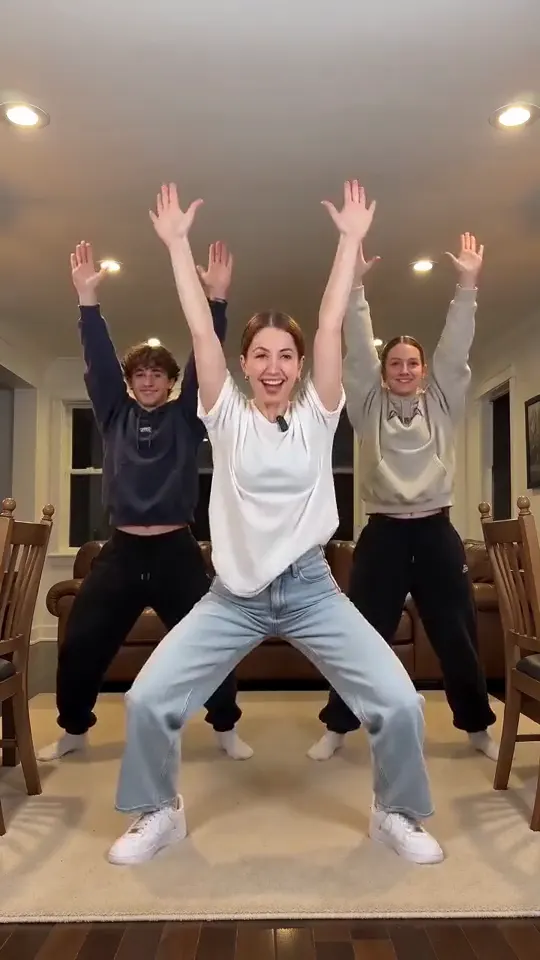
The Layoo dance trend is a viral format on TikTok and Reels where three dancers perform synchronized choreography with low squats and chest beats. Most people create these clips directly from a single photo using automated video tools. To learn about the origin of the moves and the song behind them, read our full Layoo dance trend guide.
On Ricebowl, you can use our Layoo AI dance generator to produce a 9:16 vertical video in minutes. You pick between 7 scenes like the Classic Living Room or Dad at the BBQ, select a 5-second or 10-second duration, and get an export featuring a heavy hip-hop drum beat with no lyrics. You do not need to write any custom text prompts.
A 5-second clip costs 20 credits and a 10-second clip costs 40 credits. New accounts get 20 credits once per device and network, enough for one 5-second clip. Without an account you can pay once, no subscription: 1 video for $8.99, 3 videos for $18.99 or 5 videos for $28.99. Always make sure you have consent from anyone whose photo you upload, use only your own child for the baby scene, and turn on the platform AI label when you post.
Tecktonik Dance AI Trend
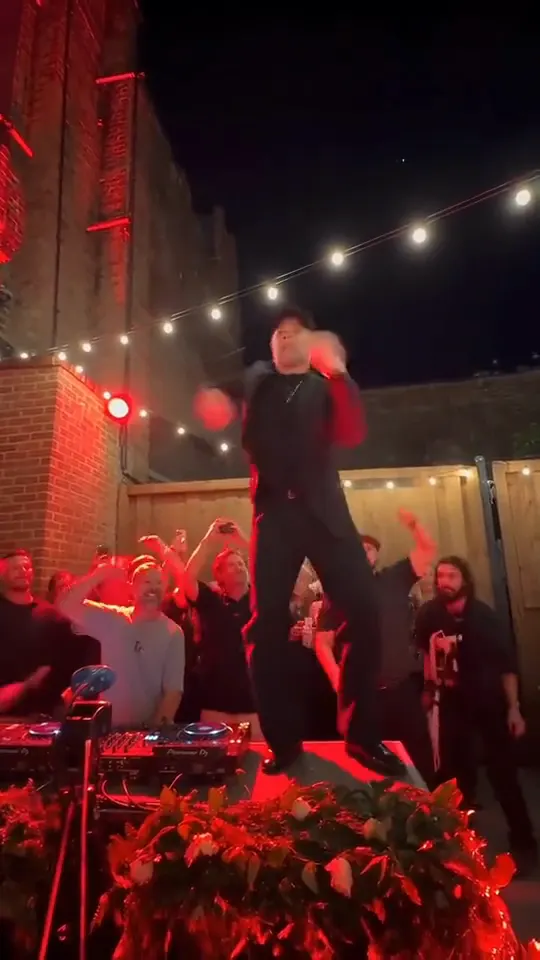
The viral tecktonik dance trend places a photo on an elevated planter stage in a red-lit night courtyard, surrounded by warm string lights and a filming crowd. Animated with the classic 2008 electro dance arm sweeps, head taps, and wrist rolls, a single uploaded portrait replaces the dancer while maintaining a completely deadpan expression. To explore the origins of this French craze, the vintage Russian brothers video, song details, and tool comparisons, read our detailed Tecktonik dance guide.
Generating your own clip on Ricebowl requires no mobile apps. Simply open the Tecktonik dance AI tool in your phone browser and upload 1 or 2 photos. Choose between 8 custom styles, such as Red Stage, Sunglasses Duo, Wedding Chair, or My Pet Dances, and pick a 5-second or 10-second runtime. Each generated clip includes a fresh 2000s electro beat with no vocals.
A 5-second clip costs 20 credits and a 10-second clip costs 40 credits. New accounts get 20 free credits once per device and network, which covers one 5-second clip. Or pay once with no subscription: 1 video for $8.99, 3 videos for $18.99, or 5 videos for $28.99. Only upload pictures of individuals who consented, and remember to label your upload as AI-made when sharing on social media.
Wipe Me Down AI Dance Trend
The wipe me down ai trend turns a regular portrait of a friend or family member into an energetic dancer grooving in a home kitchen. Our comprehensive wipe me down dance guide explains where the bounce routine originated, how the movements work, and what makes these clips spread so widely across social feeds.
On Ricebowl, you upload one photo of your dancer and optionally a second photo of a friend to watch from the counter. Pick one of 6 scenes, including a dark green kitchen or a bright living room, and choose 5 or 10 seconds in vertical 9:16 format with no watermark. To build your own clip immediately, head over to the wipe me down ai dance creator.
Without an account, one-time packs let you purchase 1 video for $8.99, 3 videos for $18.99, or 5 videos for $28.99. With an account, a 5-second clip costs 20 credits and a 10-second clip costs 40 credits; new accounts receive 20 free credits once per device and network.
Venom Car AI Trend
The venom car trend turns a car or truck into a vertical video where glossy dark liquid crawls across the floor, consumes the vehicle’s emblem, and reconstructs the chassis and panels piece by piece. Our Venom Car Trend guide covers where the trend came from, what sound the clips use, a frame-by-frame look at real posts, a price comparison, and sample prompts you can copy.
On Ricebowl you upload one photo of your car from the front three-quarter angle, optionally add a second photo for badge or rear details, pick one of 9 scenes like Underground Car Park or Neon Overpass, and choose 10 or 15 seconds in vertical 9:16 format. The system preserves your car’s real badge, leaves the license plate blank, and includes built-in mechanical and liquid audio. To make one, use the Venom car AI video generator.
Without an account, a single video costs $8.99, or 3 for $18.99 and 5 for $28.99. With an account, 10-second clips cost 40 credits and 15-second clips cost 60 credits. New accounts get 20 free credits once per device and network, which is not enough for a full clip. If a generation fails, credits are refunded automatically. Upload only a car you own or have permission to use, and remember to label your upload as an AI creation when posting.
Unforgettable Car AI Trend
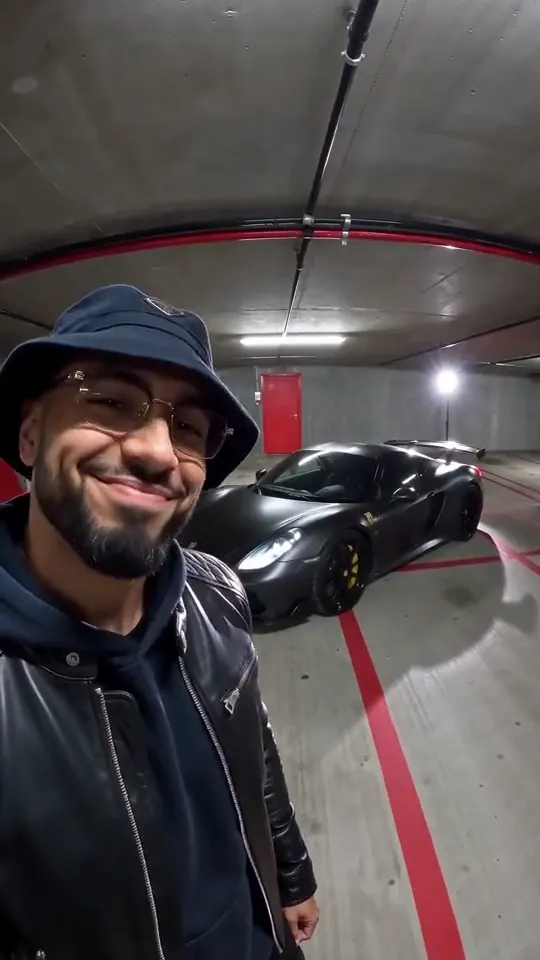
The viral trend follows a four-beat pattern where a creator raises two number cards, sweeps them across the camera, reveals an exotic vehicle parked behind them, and leans in to mouth the track. Our comprehensive Unforgettable Car Trend guide covers the origins of the video format, the background music, frame-by-frame breakdowns of viral posts, pricing structures, and ready-to-use prompt templates.
Creating your own version on Ricebowl AI requires just one clear portrait selfie, with the option to include a secondary photo of your own vehicle. You can select from 11 distinct background scenes, choose between 10 or 15 seconds, and set your layout to 9:16 vertical or 16:9 horizontal. Every clip exports with a smooth R&B beat and displays a blank license plate on the car. Start building your custom video today using our unforgettable car AI video generator.
New accounts get 20 free credits, once per device and network. A 10-second clip costs 40 credits and a 15-second clip costs 60 credits, so the free credits do not cover a full clip. Or pay once, no subscription: 1 video for $8.99, 3 videos for $18.99, or 5 videos for $28.99. Only upload photos of yourself or of adults who said yes.
How to Do the AI Trend for Free: Tools Compared
With many apps and platforms offering template tools, choosing the right tool comes down to comparing effort, cost, and output control. The table below breaks down how options perform across key factors.
| Tool | Free? | Photos | Length | Sound |
|---|---|---|---|---|
| CapCut templates | Offers free templates at the time of writing; check the app for limits | Varies | Varies | Depends on template |
| Dreamina | Offers a free tier at the time of writing; check the app for limits | Varies (2 for its Hotel Lobby guide) | Varies | Depends on settings |
| Higgsfield | Offers a free tier at the time of writing; check the app for limits | Varies | Varies | — |
| Ricebowl Hotel Lobby | Not free (from 50 credits) | 2 photos | 5, 10 or 15 s (15 s for subscribers) | Sound included (AI beat and voices) |
| Ricebowl Zombie | Not free (from 40 credits) | 1 or 2 photos | 10 s, or 15 s for subscribers | Soft piano included (cannot be turned off) |
How to Choose the Right Tool
If you want to know how to do the AI trend for free without writing complex prompts, CapCut templates are a common starting point. Here is how to pick between your options:
- CapCut templates or Dreamina if you are happy to experiment, deal with prompts or template limits, and check what is free today.
- Higgsfield if you are comfortable with a more manual setup using a reference video, portraits, and a prompt.
- Ricebowl if you want to upload photos and get a finished video with no prompt, and are fine paying credits.
That is how to do the AI trend for free or with paid tools depending on your budget and time. For complete details on credit packages and subscription tiers, review the Ricebowl pricing page.
Why Your AI Trend Video Looks Wrong, and How to Fix It
Even when you follow instructions on how to do the AI trend, generators can sometimes produce unexpected results. Here are five common problems and how to fix them:
- Face does not look like you: Blurry photos or side angles confuse the generator. Upload a clear, front-facing photo with good light so the face model has clear features to use.
- Moves or sides do not match: Person A ended up on Person B’s side. Check your uploads in the Left Person and Right Person boxes to make sure each photo is in the right place before hitting generate.
- Group photo or no face found: The tool rejects photos with no face or too many faces. Use a photo with only one person and make sure the face is fully visible.
- Dark or backlit photos: Low light creates dim or distorted video renders. Pick photos taken in good light or bright indoor settings.
- Your post shows no AI label: Posting without disclosure means viewers cannot tell how the clip was made. Turn on TikTok’s AI-generated content label when you post so viewers know the clip is AI-made.
Every render is a little different, so run it again before changing photos if you want to test another attempt.
Learning how to do the AI trend on TikTok and Instagram lets you make these videos on a phone in minutes. Whether you choose free manual options or simple web tools, clear photos and the right post settings help you get a better result. We update this hub regularly as new memes appear, so check back here to see how to do the AI trend as new tools and formats launch. To start creating, head over to the Hotel Lobby AI generator, check out the Zombie AI video tool, or use the car jump AI video generator for the clip where a car flies over your head. To put two people from two photos into one hug, try the AI hug generator; to remember someone you miss, an AI tribute video turns their photo into a gentle memorial clip. To make the people in an old family photo smile or wave, you can animate old photos into a short clip. For a prank on a friend’s big day, a funny birthday video turns their photo into a cake smash or confetti ambush. The Earth zoom out AI pulls the camera from your photo all the way out to the planet, the Moon or the galaxy, the AI video effects page adds laser eyes, backflips and more to one photo, and an AI clone video puts several copies of you in the same scene. With a childhood photo you can hug your younger self, and an AI family video turns family photos into a short clip. You can also create an AI video of yourself from a single selfie, or share an imagined embrace with a departed family member through an AI hug with a deceased loved one. To join the latest movement trends, try the AI dance generator to turn one or two portraits into a full-body dance routine. For a still photo instead of a video, the AI Halloween costume generator turns one photo into a costume portrait, the AI baby generator imagines a baby from two parent photos, the AI bald filter shows what you would look like bald, and you can restore old photos by fixing scratches, fading and blur.
You can use the Migos AI video generator to turn two solo photos into the orange-studio clip where two people take turns on one hanging mic. Use the AI rap duo generator to put two people from two photos into one orange booth, trading verses on a single mic. Use the raindance ai trend generator to turn one or two photos into the golden-hour pier music video, with one person singing by the water. Use the gas station dance AI video generator to turn one or two photos into a dusk road-trip clip at an empty roadside lot. Turn one or two photos into a late-night party clip with the burning bridges ai video generator. Use the jawn dance AI video generator to turn one photo of you, a baby or a pet into a deadpan side-to-side sway clip. Use the alors on danse ai meme generator to turn two photos into the white-studio keyboard skit with a dance at the end. Upload up to 4 photos to the pumpkin head AI photo generator to turn your picture into a glowing autumn portrait. Use the ramalama halloween ai video generator to turn one photo into a vertical costume walk clip featuring a low-angle shoe close-up, a hard cut, and a full-body reveal. You can test this viral trend yourself by using the Rumpelstiltskin meme generator to turn a single photo into the sneaky barn tiptoe clip. You can use the put a ring on it dog AI video maker to turn one pet photo into a 9:16 clip of your pet nodding on a dark stage with two backup dancers. Upload one or two photos to the toc toc dance video maker to animate them into the hop-knee-knock dance. Create spinning wardrobe transformations from a single portrait using the ceiling fan outfit change ai tool. Use the smalltown boy ai generator to place your two pets or friends into the viral head-grab scream-and-swap dance. Recreate the trending scolding meme using the bad times ai video generator with your favorite pet or baby photo. Turn your everyday photos into the viral creeping trend with our tip toeing in my jordans ai generator. Turn one photo into a night walk-out escorted by two officers with not bro getting arrested again. Check out our complete walkthrough for the lil durk king von back again ai generator to see how to turn two portraits into an atmospheric rap video. Make your own viral doorway video from any photo with bulin 47 ai. You can use the knight cat AI video generator to turn one cat or dog photo into a 9:16 clip of your pet in silver armor, sword planted in the mud, facing the storm. Upload your photo and any clothing photo to the AI virtual try on tool to see the outfit on you before you buy. Upload one selfie to the AI glow up generator to preview a new haircut, glasses, a top color, a beard or makeup on your own face. Not sure about a new cut? Upload a selfie and try on hairstyles with what hairstyle suits me before you book the salon. Score the famous wait-for-the-slide finish from one photo with the ozil goal ai video tool. Do the squat-bounce, chest-beat crew dance from one photo with the layoo ai dance tool. Make the lean-and-bounce dance from a photo with the wipe me down ai dance tool. You can use the venom car ai video generator to turn one photo of your car into a 9:16 clip where black liquid grabs your badge and rebuilds your car part by part. Put yourself on the red-lit party stage doing the 2008 electro arm dance with the tecktonik dance ai tool. You can use the unforgettable car ai video generator to turn one selfie into a clip where you sweep the 2 and 4 cards across the lens and a car appears behind you.