Burning Bridges AI Trend: Guide, Prompts & Rules
Published October 10, 2026
TL;DR: The Burning Bridges AI Trend in 60 Seconds
- The burning bridges ai trend turns your photo into a cinematic late-night party video where you lead the room under a glowing crystal chandelier.
- You need 1 or 2 photos: photo 1 is the main star, and optional photo 2 adds a friend who matches your moves or a second pet.
- You do not write any prompt because the tool handles the entire scene description automatically.
- A 5-second clip costs 20 credits and a 10-second clip costs 40 credits, while new accounts get 8 credits once, not enough for a 5-second clip.
- The quickest route to jump into the burning bridges ai trend is opening the burning bridges ai video generator directly.
- Clips feature an original instrumental beat rather than the original song, and celebrity uploads are strictly banned.
Where the Burning Bridges Trend Came From
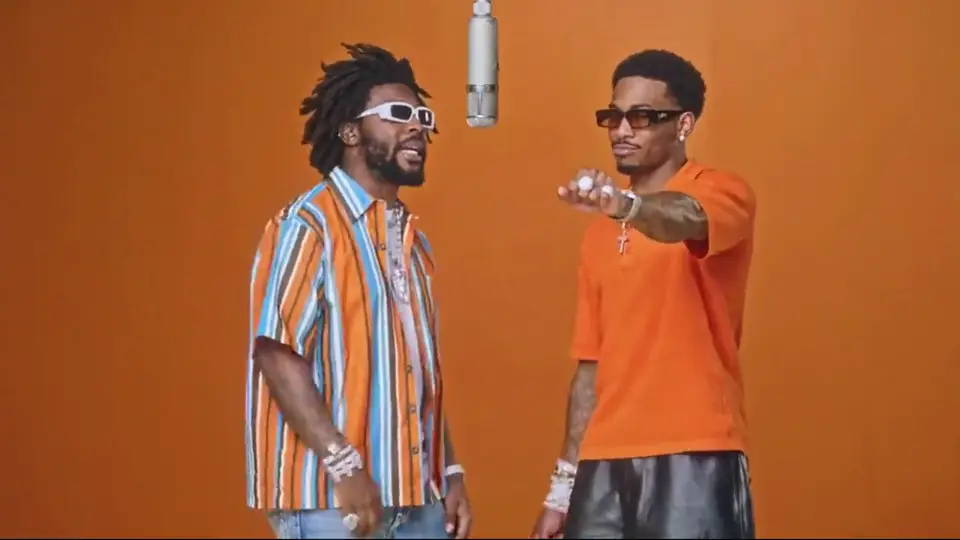
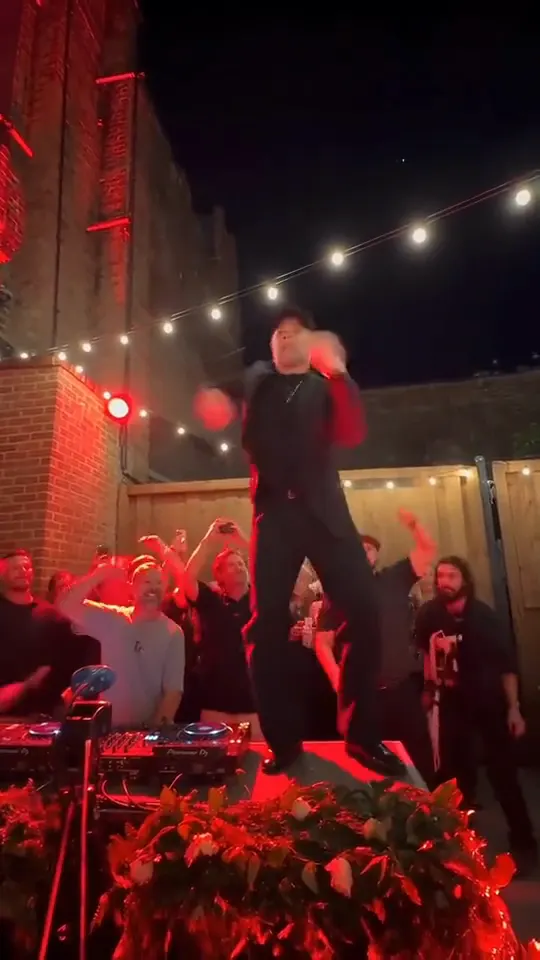
The burning bridges ai trend recreates a memorable party scene from a 2026 rap music video that shares the exact same name as the trend. In that original scene, the star commands a packed celebration under a sparkling crystal chandelier, raises a silver cup or cocktail shaker to the beat, points toward the camera, and searches the room with a flat hand over their eyes. Creators quickly began using video models to place their own faces, friends, and household pets into that exact celebration.
Search interest for the burning bridges trend in the United States stayed at absolute zero until September 27, 2026, when it suddenly surged across online platforms. The burning bridges ai trend took off rapidly across TikTok, Instagram Reels, and YouTube Shorts as viewers shared their remakes and discussed them in Reddit threads. Many early AI remakes put famous people and TV characters into the scene.
Burning Bridges AI Trend vs. the Idiom, the Game and Other Look-Alikes
- The English idiom: The common phrase refers to permanently cutting personal or professional ties so you cannot return, while the burning bridges ai trend simply takes its title from a music video and involves no literal fire.
- The burning bridges game: A popular question-and-answer social party game where players ask each other provocative questions, which is completely separate from the burning bridges ai trend video format.
- AI music channels: Online accounts sharing synthetic audio tracks under similar names produce songs rather than this video clip meme, which is entirely different from the burning bridges ai trend.
- AI dance routines: Unlike choreographies you might explore on an AI dance generator, the burning bridges ai trend centers on a specific party gesture rather than continuous dancing.
The Where She At Move, Shot by Shot: Which Photo Goes Where
Every clip in the burning bridges ai trend follows an exact sequence of gestures. The star begins by raising a silver cocktail shaker high in the air and pulsing it rhythmically to the instrumental beat. Next comes a sharp two-finger point directed straight at the camera lens. Immediately after that point, the star places one hand flat over their eyes to execute the where she at gesture, turning their head across the room to search the dancing crowd. In the 10-second version, this routine expands with an opening walk toward the viewer and finishes as the star drops their hand, smiles broadly, and looks into the camera while the crowd cheers.
When you put yourself in burning bridges, photo 1 always serves as the primary star wearing their own uploaded clothing. If you decide to add photo 2, that second person appears directly alongside you, imitating every single action including the where she at pose a beat later. For the Pet style, photo 1 must be a cat or dog standing on its hind legs to shake a tiny shaker with real animal paws, while photo 2 can be an accompanying person or a companion animal, showing another playful angle of the burning bridges ai trend. If you enjoy duo scenes, you can also check out the Hotel Lobby AI trend for a different two-person vibe.
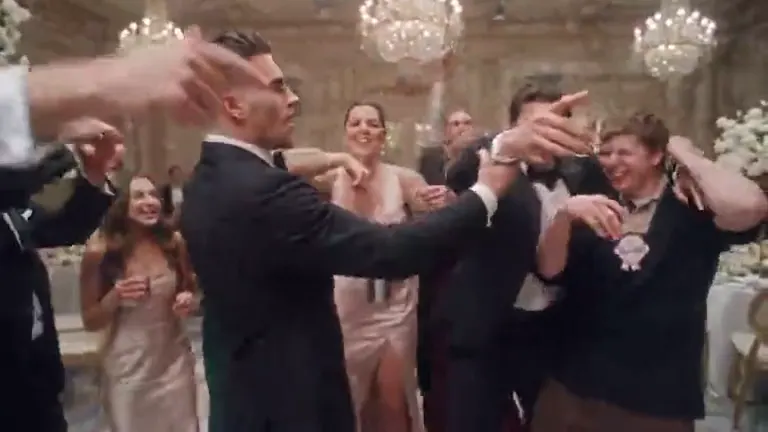
The frame below comes from a burning bridges clip shared online and shows the party scene people copy.
How to Do the Burning Bridges AI Trend in 4 Steps
This walkthrough acts as your quick burning bridges ai tutorial so you can join the burning bridges ai trend without guessing settings.
- Upload 1 or 2 clean photos of yourself, your pet, or a willing friend into the tool interface.
- Select your desired clip style from Party, Penthouse, or Pet Version, choose a length of 5 or 10 seconds, and pick 16:9 widescreen or 9:16 vertical.
- Click generate to start rendering, which usually takes a few minutes, keeping your browser tab open while the system builds your file.
- Download the finished MP4 file directly to your phone or computer, and post it to your feeds while marking it clearly as AI-generated.
For a broader look at general video memes, check out how to do any AI trend across social feeds. The sample below is a burning bridges ai trend clip shared online, the look you can recreate with the burning bridges ai video maker.
Our own pre-launch test used a selfie of a man in a grey hoodie. In that 10-second test the face and grey hoodie stayed the same from the first frame to the last, and the clip ran through the whole routine: shaker raised over the crowd, a walk up to the camera, a flat hand over the eyes to look around, and a closing grin.
The Burning Bridges Trend, Frame by Frame: 4 Real Frames
You can spot clear visual patterns across the burning bridges ai trend videos that spread on YouTube and TikTok. All four frames analyzed below originate from a single creator remake published as a YouTube Short.
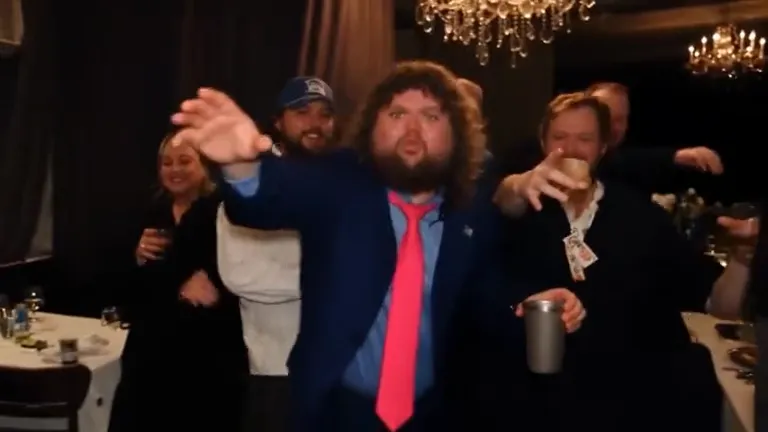
The opening frame highlights a curly-haired man dressed in a navy suit and pink tie front and center, a silver cup in one hand while an energized crowd dances under grand crystal chandeliers. This matches the standard Party style composition in the burning bridges ai trend, keeping the main subject sharp while the party stays soft in the background.
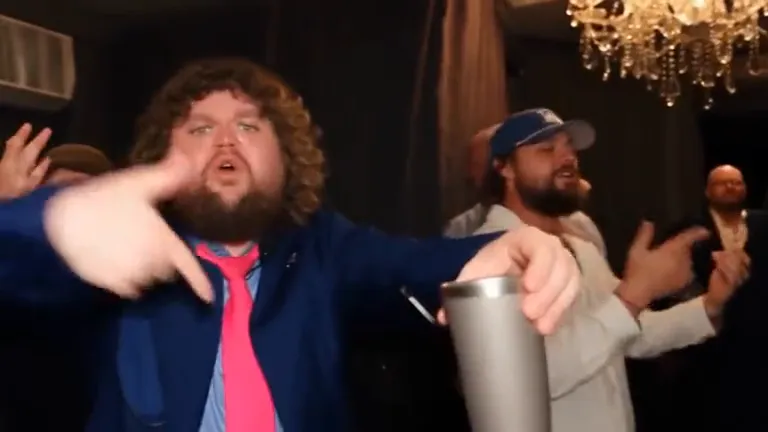
Moving into a tighter view, the subject lifts his silver cup and points at the camera with a guest in a ball cap cheering right behind his shoulder. This reflects the classic shaker-then-point movement required in both the Party and Penthouse options of the burning bridges ai trend.
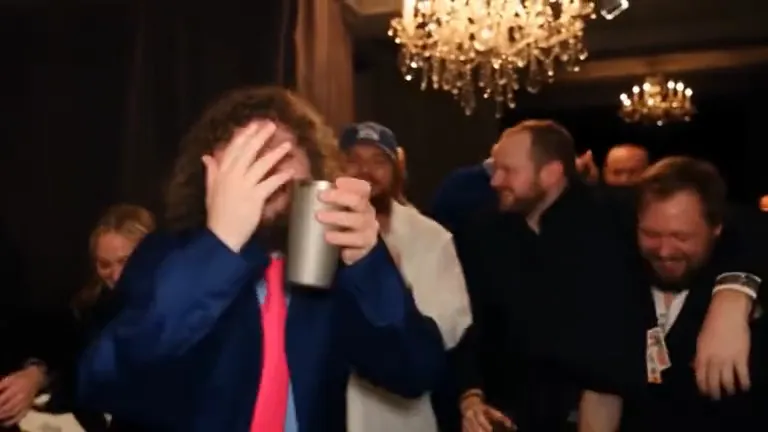
The creator brings a flat hand over his eyes to scan the room while partygoers behind him break out laughing at the dramatic search. This captures the famous where she at pose that anchors every single variation of the burning bridges ai trend.
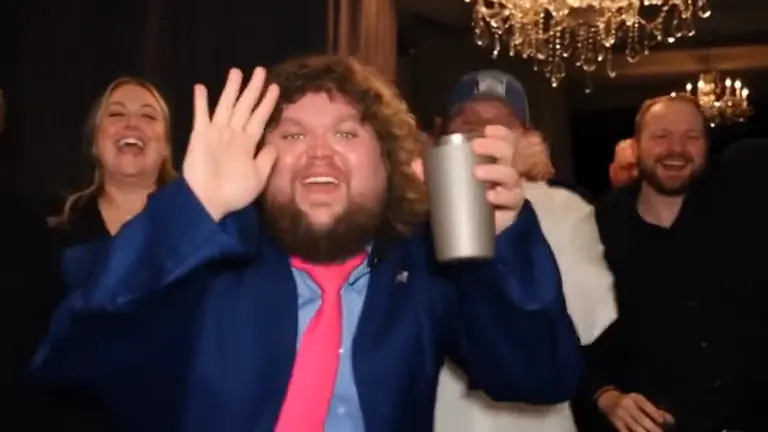
Dropping his raised hand, the subject bursts into a bright smile at the lens and raises his cup as the room erupts in celebration. This lively reaction forms the standard finale of the 10-second burning bridges ai trend template.
If you like exploring different video aesthetics after reviewing these frames, you can also try the sunset vibes of the Gas Station Dance generator. Once you are ready to produce your own take, you can test a burning bridges ai template on the platform.
Why There Is No Celebrity Version of the Burning Bridges AI Trend
Many early posts from the burning bridges ai trend featured famous people and TV characters pasted into the party scene. However, creating public-figure or celebrity content is strictly prohibited on the platform. Responsible creation within the burning bridges ai trend requires respecting personal identity and likeness boundaries.
You may only upload photos of yourself, your family pets, or personal friends who have given you unambiguous permission to use their pictures. Skipping famous faces does not limit your creativity; remaking the burning bridges ai trend with your own friend group or family dog keeps the clip yours. If you like music-themed aesthetics with friends, you might also enjoy the golden-hour lighting of the Raindance AI trend. When you want to produce your own weekend party video, simply create a burning bridges ai video using your camera roll.
Burning Bridges AI Trend Video Tools Compared
Prices were read on 2026-10-10 and may change.
| Tool | Photos | Length | Price | Song included | Refund on fail | Read on |
|---|---|---|---|---|---|---|
| Ricebowl | 1–2 (photo 1 is the lead, photo 2 a friend who copies the moves; or 1 pet photo) | 5 s or 10 s, 16:9 or 9:16, 768p | 20 credits per 5 s clip, 40 per 10 s clip; new accounts get 8 free credits once (not enough for one clip); plans from $7.99/month for 200 credits | No, an original instrumental hip-hop and R&B track with no vocals | Yes, credits return automatically on system errors | 2026-10-10 |
| Media.io | 1 photo plus a motion reference clip you upload | Not stated (reference clip upload is 3–30 s) | Credits per video not stated; plans from $10.99/month ($5.99/month billed yearly) for 100 credits, up to 10 videos | Not guaranteed, depends on the model you pick | Not stated for failed renders; 7-day money-back guarantee on plans | 2026-10-10 |
| Starrd | 1 | 20 s, vertical | 150 credits per video; one-time packs from $4.99 for 100 credits ($11.99 for 300), no subscription | Template description says you rap the trend’s song; audio output not separately stated | Not stated | 2026-10-10 |
| burningbridgesai.video | 1 | 15 s, 9:16 | 100 credits per 480p video (200 at 720p); one-time packs from $9.99 for 100 credits | No, sound is generated for each video, original song not included | Yes, failed videos refunded automatically | 2026-10-10 |
| Pictell | 1 main character, plus up to 9 background faces | 15 s, vertical, 480p | 450 credits per 15 s 480p video; one-time packs from $5 for 450 credits | Not stated | Not stated (used credits are non-refundable) | 2026-10-10 |
Different platforms handle the burning bridges ai trend with distinct technical requirements and cost structures. Ricebowl needs no custom prompts or motion reference clips, letting you generate 5-second or 10-second clips at 768p resolution with built-in original audio, automatic credit returns on system errors, and paid access via credit plans. Competitors like Media.io require you to supply an existing 3-to-30-second motion reference file alongside your picture, whereas options like Starrd offer fixed 20-second vertical runs but require multi-pack purchases since their starter bundle does not cover a full render.
Other alternatives such as burningbridgesai.video make 15-second 9:16 clips at 480p (100 credits) or 720p (200 credits), while Pictell makes 15-second vertical 480p clips, allowing complex group setups up to nine background faces at 450 credits per video. Ricebowl and burningbridgesai.video both leave the trend’s original song out. For a different themed party narrative, creators sometimes look into the Zombie AI trend before deciding to make a burning bridges ai video for their channel.
Burning Bridges AI Prompt Ideas You Can Copy
On Ricebowl the scene text is built directly into the system so you never have to type anything, but these two examples help creators testing raw video tools that require manual descriptions for the burning bridges ai trend.
Before launch we rendered 1 test clip for this page from a single photo, and it came out right on the first try in about 30 seconds.
Party style, 1 photo, 10 seconds, 16:9:
One reference image of one person. The person in reference image 1 is the star of the party, with the same face, same hair and same clothes as reference image 1 in every frame. A packed house party at night in a grand living room under a huge sparkling crystal chandelier, warm golden light, a crowd of party guests dancing close behind, slightly out of focus. The person in reference image 1 is front and center in sharp focus, the face brightly lit and clearly visible. The person in reference image 1 walks through the crowd toward the camera holding a silver cocktail shaker up high and shaking the cocktail shaker to the beat, then points two fingers straight at the camera, then puts one hand flat over the eyes and turns the head left and right, searching the crowd for someone. Then the person in reference image 1 drops the hand, looks straight into the camera and breaks into a big grin while the crowd cheers. Horizontal widescreen music-video shot, handheld camera slowly pushing in, the crystal chandelier glowing at the top of the frame. No text, no logos, no brand names, no labels on the cocktail shaker or the bottles. Audio: moody late-night hip-hop party beat with deep bass and a smooth R&B synth groove, instrumental only, no lyrics, no dialogue.Pet style, 1 photo, 5 seconds, 9:16:
One reference image of one pet. The pet in reference image 1 is the star of the party, with the same fur, markings, face and body as reference image 1 in every frame. A packed house party at night in a grand living room under a huge sparkling crystal chandelier, warm golden light, a crowd of party guests dancing close behind, slightly out of focus. The pet in reference image 1 is front and center in sharp focus, the face brightly lit and clearly visible. The pet in reference image 1 stands up on the hind legs, holds a small silver cocktail shaker in one front paw and shakes the cocktail shaker to the beat, then puts the other front paw flat over the eyes and turns the head left and right, searching the crowd for someone. Every front paw stays a real animal paw, never a human hand. Vertical phone-video shot, handheld camera slowly pushing in, the crystal chandelier glowing right overhead at the top of the frame. No text, no logos, no brand names, no labels on the cocktail shaker or the bottles. Audio: moody late-night hip-hop party beat with deep bass and a smooth R&B synth groove, instrumental only, no lyrics, no dialogue.We have not rendered a test clip with the pet prompt yet. When modifying prompts for the burning bridges ai trend, remember these three tips:
- Keep the exact wording “the person in reference image 1” rather than shifting to pronouns so the generation system does not confuse the party guests with the lead subject.
- Retain the full closing audio description so your resulting video renders an instrumental soundscape free of unexpected vocals.
- Adjust only a single visual parameter at a time so you can track how each small edit influences the scene.
If you like experimenting with quirky character formats outside the burning bridges ai trend, you can also try the Rumpelstiltskin meme generator.
Before You Post Your Burning Bridges AI Trend Clip
- Failed renders triggered by a system error return your credits back automatically to your account balance.
- Only submit photos showing your own face, your personal pets, or friends who explicitly consented before you upload your photo to the burning bridges ai video tool.
- Do not attempt to generate celebrity or public-figure versions because they violate site guidelines for the burning bridges ai trend.
- Keep your clips unbranded; the party environment deliberately omits commercial logos, brand names, and container labels.
- Always toggle the AI-generated content label when sharing your burning bridges ai trend creation on TikTok, Instagram Reels, or YouTube Shorts.
- Renders generated on user accounts without an active paid plan may be displayed publicly on the platform Explore feed.
Sources
- Frames: YouTube Shorts post 8w5JwojjEI0 by @Summrs-com, read 2026-10-10.
- Prices: Ricebowl, Media.io, Starrd, burningbridgesai.video, Pictell, read 2026-10-10.
- Search interest: Google Trends US, read 2026-10-09.
- Test clip: Ricebowl production log, read 2026-10-10.