Pumpkin Head AI Trend: What It Is and How to Do It
Published October 11, 2026
TL;DR: The Pumpkin Head AI Trend in 60 Seconds
The pumpkin head ai trend is a seasonal photo edit where every person in a picture gets their head swapped for a glowing or painted pumpkin while clothes and backgrounds stay in place. Joining the pumpkin head ai trend takes one regular photo and about sixty seconds from upload to download.
- What it is: A digital photo effect that replaces every human head with a carved or painted pumpkin.
- What you need: One clear photo of a person, couple, or group, matched with Classic Glow, Spooky Night, or Cute Painted styles.
- How much it costs: Each output takes 8 credits, so new sign-ups with 8 welcome credits can make one 1K pumpkin head photo.
- How long it takes: Processing takes about a minute while you keep the browser tab open.
- Fastest route: Head straight to the pumpkin head AI trend generator to test your first picture.
What Is the Pumpkin Head AI Trend and Where Did It Start?
The visual joke started offline as a real-photo trend, widely called the pumpkin head challenge or simply the pumpkin head trend. Groups of friends and families bought real produce, cut out the pulp, carved faces, and placed the hollow shells over their necks for photos or short videos. An explainer article about this real-photo version was already published on 2024-10-10, showing the physical version dates back to at least October 2024.
The October 2026 digital wave transformed that setup into the pumpkin head ai trend. Instead of cutting up squash, people now run ordinary snapshots through automated image tools to turn one photo into the same look. Search interest for the pumpkin head ai trend is seasonal, and people search for it in October.
The Real Pumpkin Head Photoshoot Trend vs the AI Version
Deciding between physical props and the pumpkin head ai trend comes down to time, props, and cleanup:
- Real setups require buying gourds, gutting pulp, and cutting eye holes, whereas the pumpkin head ai trend needs only an existing snapshot.
- Guides on how to do pumpkin head photoshoot setups tell you to buy a pumpkin, hollow it out, carve it, and wear or hold it, while the pumpkin head trend online takes about a minute without any physical mess.
- A physical shoot makes it tough to keep animals still, but with digital processing, pets keep their own heads while human heads get replaced.
- The look is easy to confuse with an older dancing pumpkin meme, a baby-sitting-inside-a-hollowed-pumpkin photo, video game items with pumpkin heads, and a similarly named horror film.
If you prefer keeping your face visible while swapping your outfit instead of replacing your head, try AI Halloween Costume. To start replacing heads right away, launch the Halloween pumpkin head trend generator. For general advice across other seasonal concepts, check out our guide on how to do any AI trend.
Pumpkin Head AI Trend Styles: Which Photo Goes Where
Choosing a style for the pumpkin head ai trend means choosing the mood of the picture:
- Classic Glow: Features a carved jack-o’-lantern lit by an interior candle with warm orange highlights; ideal for a solo person or group in daylight because it leaves the photo’s own lighting alone.
- Spooky Night: Features a carved glowing face wrapped in cool blue night mist and deep shadows; fits a couple or a photo with a night feeling.
- Cute Painted: Features a smooth, uncarved round pumpkin with a friendly hand-painted black smile in bright golden daytime autumn light; fits a family and kids.
For the best results with the pumpkin head ai trend, make sure heads and necks are fully visible. Hats, hands over the face, cropped heads, and dark or blurry captures work badly. Four-legged companions remain as they were because pets keep their own heads. If you want a completely different look without any squash, see our AI Bald Filter.
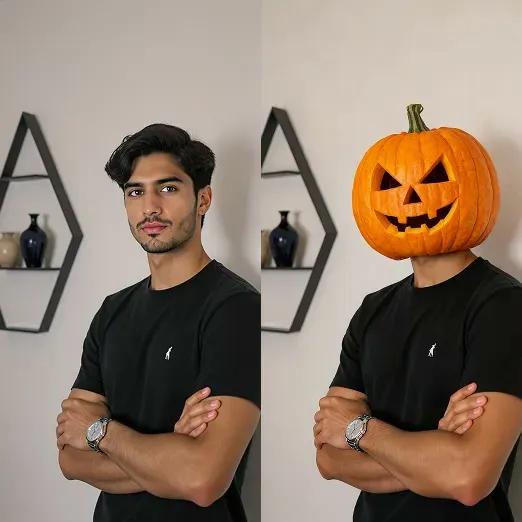
Here you can see how one ordinary portrait turns into a seasonal pumpkin head picture; make your own with the pumpkin head AI generator.
How to Do the Pumpkin Head AI Trend in 3 Steps
Creating your own entry in the pumpkin head ai trend takes three quick steps:
- Sign in to your account and upload one photo showing yourself, a couple, or your entire group.
- Select your preferred style (Classic Glow, Spooky Night, or Cute Painted) and pick an output size: 9:16 vertical for stories or 1:1 square for profile pictures.
- Click generate, leave the tab open for about a minute while the Nano Banana 2 image model processes your photo for 8 credits, and download your 1K still image.
After you download your still image, you can make it move if you want a short clip. Take your finished still image, visit the MiniMax H3 page, upload it there, and select a short clip with background music for 20, 40 or 60 credits. To explore animated group memories, check out AI Family Video.
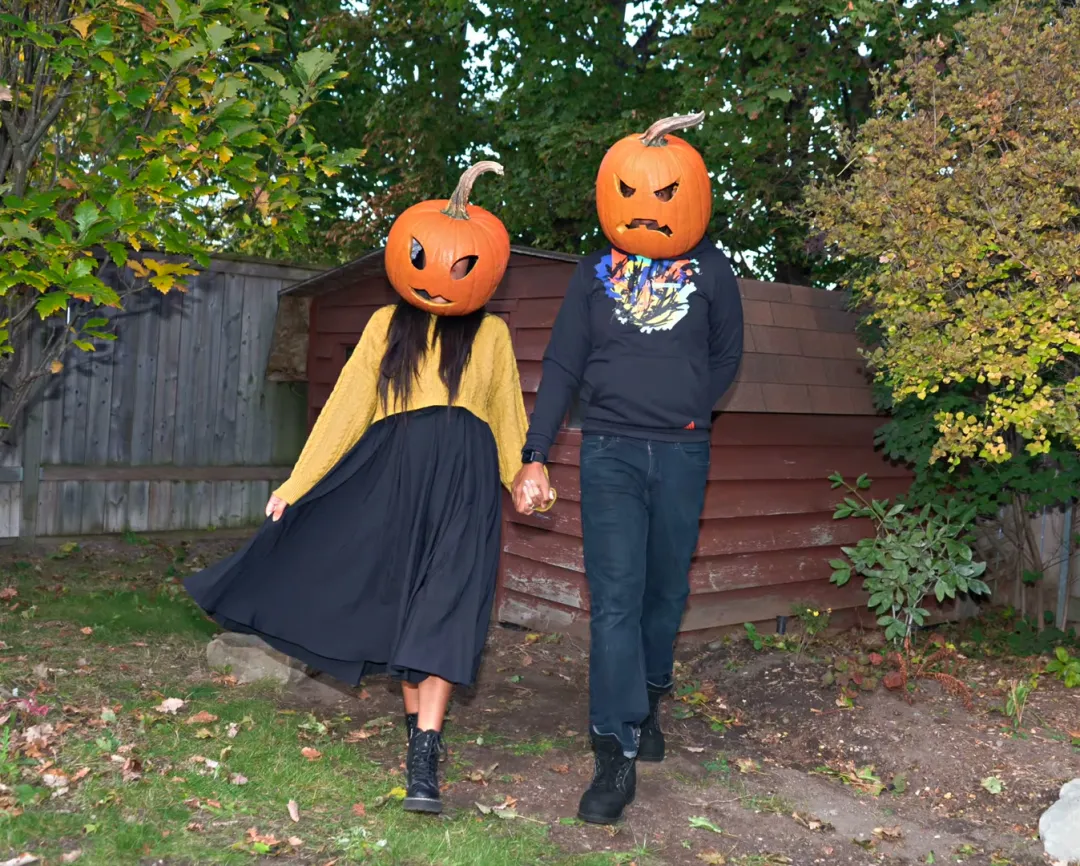
Ready to build your own portrait? Jump into Pumpkin Head AI to get started with the pumpkin head ai trend.
The Pumpkin Head Illusion, Style by Style: 4 Examples
The pumpkin head illusion examples below are photos people shared online, not made on ricebowl, picked to show the kind of look each style goes for.
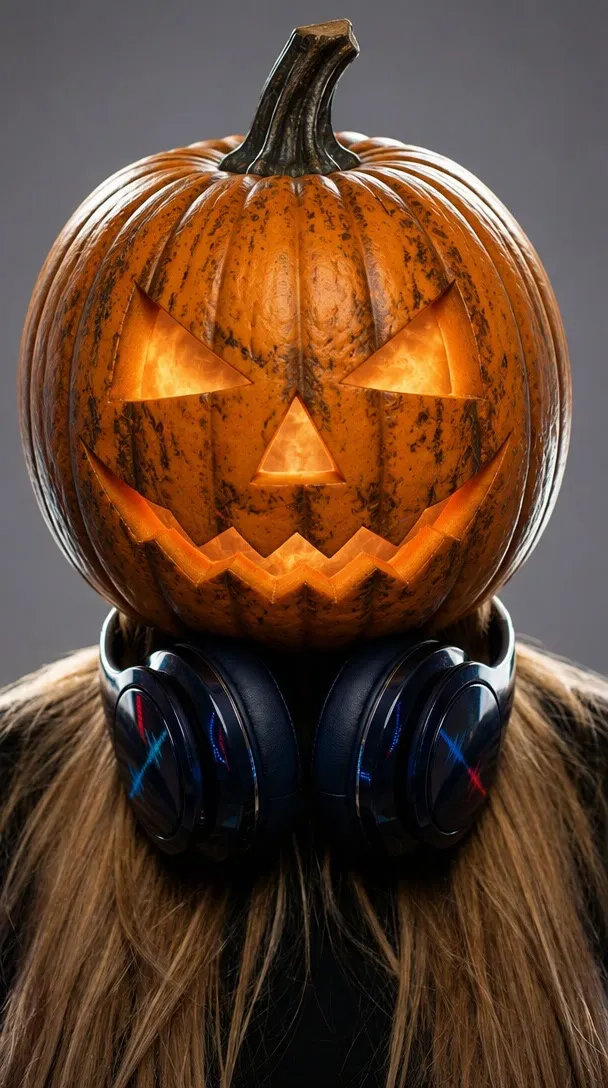
This plain studio portrait shows the Classic Glow idea: a carved jack-o’-lantern on top, while the hair, headphones and gray backdrop stay as in the photo.
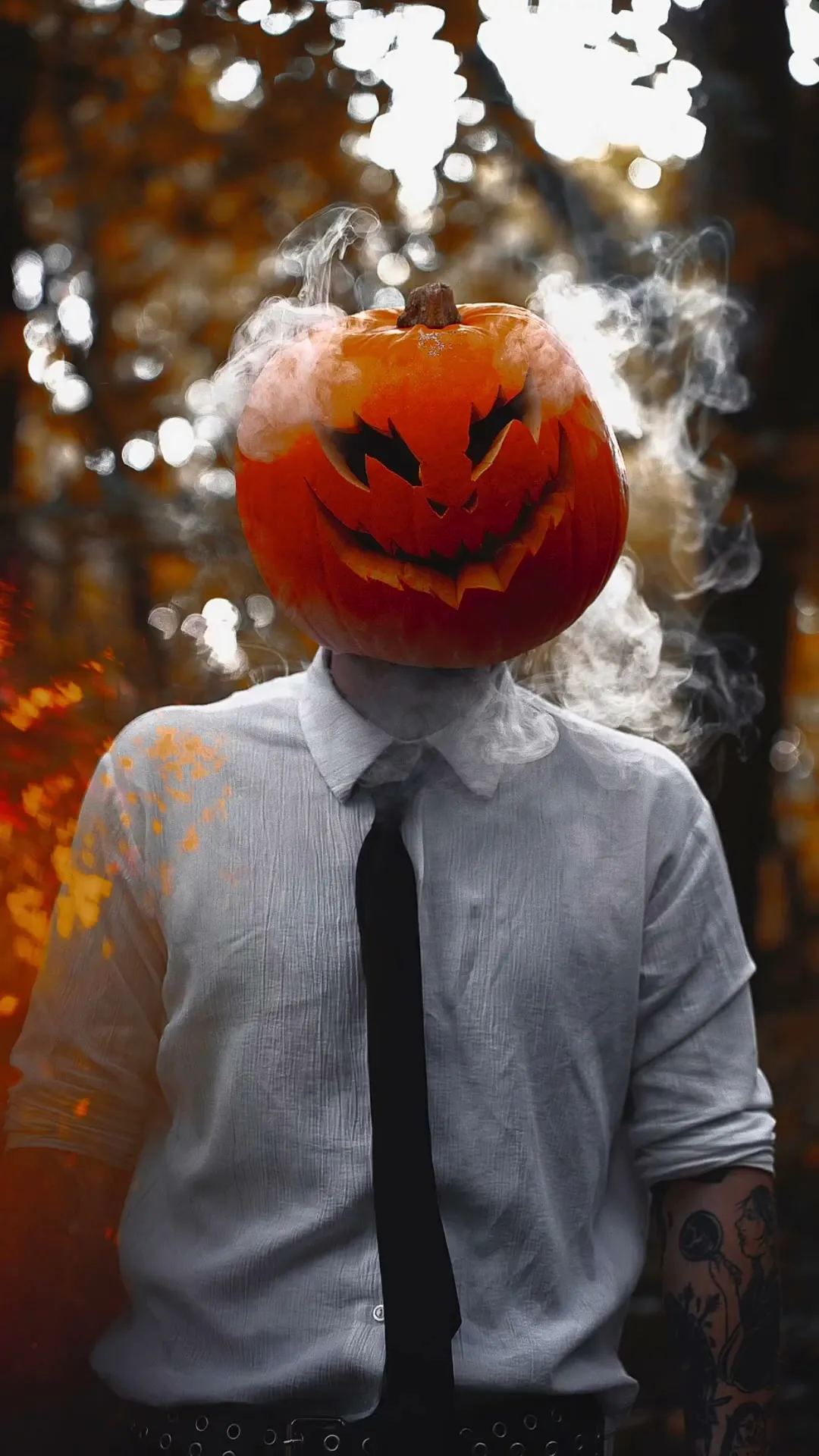
This dark forest shot with smoke is the Spooky Night mood: deep shadows, mist, and a glowing carved face.
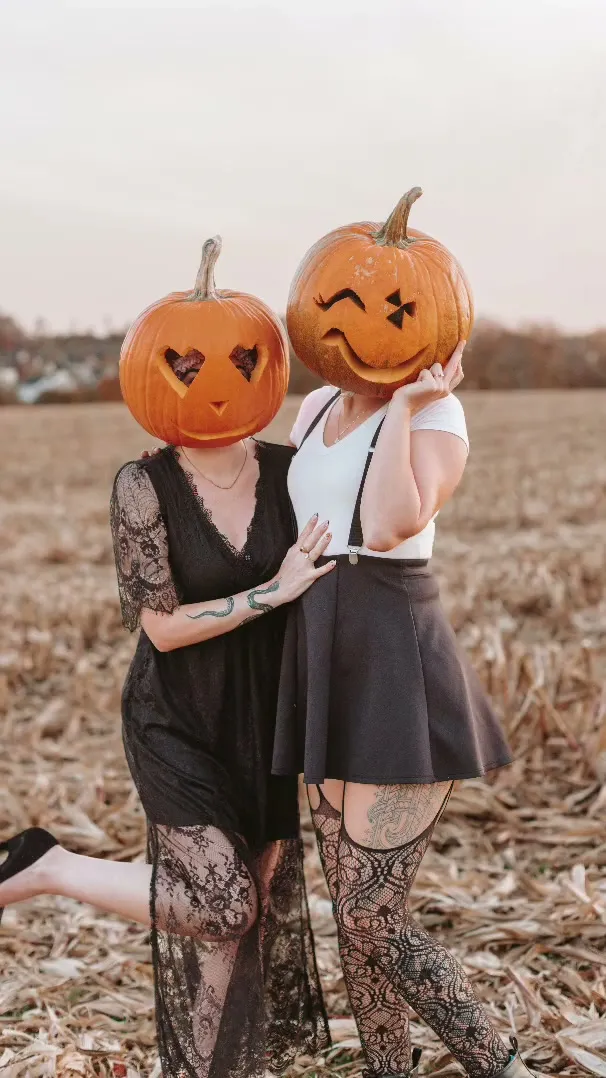
This corn field hug shows the softer side of the trend that the Cute Painted style aims for, great for lighthearted couple and family snapshots.
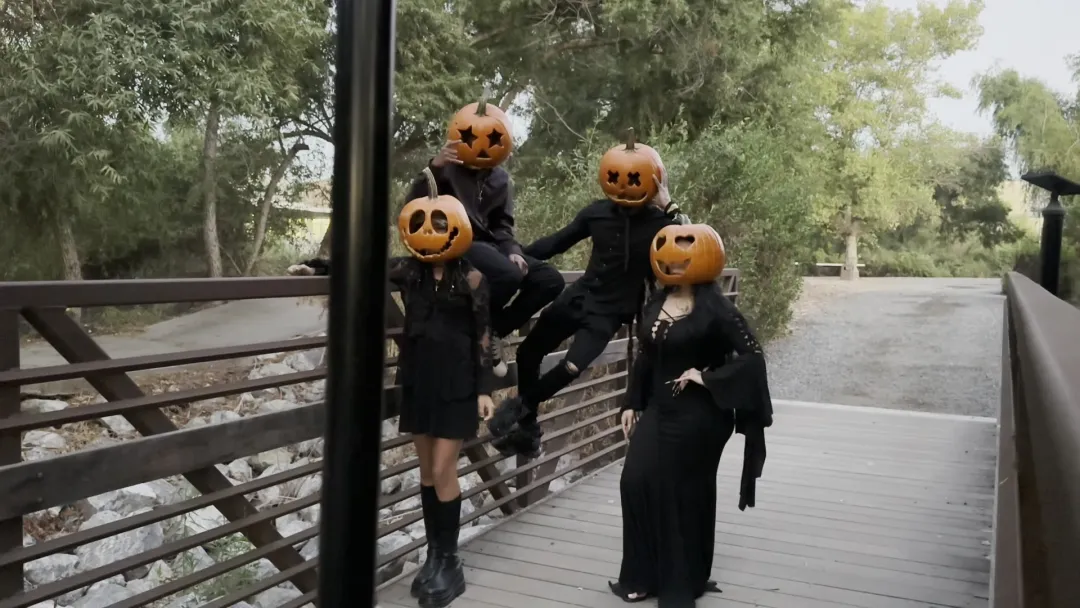
This group example shows the pumpkin head illusion on four friends at once: each person gets their own pumpkin while their clothes stay unchanged.
If you enjoy fast portrait edits, check out Vikas Editing AI for another one-selfie trending edit. To generate your own still portrait, open turn a photo into a pumpkin head and join the pumpkin head ai trend.
Why There Is No Celebrity Version of the Pumpkin Head AI Trend
You cannot create a celebrity pumpkin head ai trend edit on this platform. The system allows only photos of yourself or people who agreed to have their photo uploaded. Photos of real celebrities or public figures are not allowed on the platform.
For now the example images on our tool page are pumpkin head photos people shared online, shown as stand-ins until our own test images go back up. The upload rule above applies to every single upload.
Pumpkin Head AI Trend Tools Compared
Tool offerings and credit rates change regularly; prices were read on 2026-10-11 and can change.
| Tool | Photos | Length | Price | Song included | Refund on fail | Read on |
|---|---|---|---|---|---|---|
| Ricebowl | 1 (a solo person, couple, group or family in one photo) | Still image, 9:16 or 1:1, 1K; the result can be turned into a short video afterwards | 8 credits per image; new accounts get 8 welcome credits (one image); plans from $7.99/month for 200 credits (25 images) | No, still image | Yes, credits are refunded automatically when a generation fails | 2026-10-11 |
| MakeViral | 1 (two photos for the couple version) | Still 2K photo, 9:16; can be turned into a video, video length Not stated | 3 credits per photo; cheapest one-time pack $11.99 for 100 credits, no subscription | No, still photo | Yes, a job that fails gives its credits back | 2026-10-11 |
| Media.io | 1 | Still image, length Not stated | Free plan: 3 daily check-in credits, 1 image, watermarked 720p export; Standard $5.99/month billed yearly ($71.88) for 100 credits/month, credit cost per pumpkin image Not stated | No, still image | Not stated (7-day money-back guarantee on plans) | 2026-10-11 |
| BudgetPixel | 1 | 5 s, square 2160x2160 (Kling) | 480 credits per video; cheapest pack $10 for 10,000 credits, about 20 videos | Not stated | Not stated (consumed credits non-refundable; requests blocked before generation are not charged) | 2026-10-11 |
| VideoWeb AI | 1 | Not stated | 500 credits per video; cheapest pack $19.99 one-time for 10,000 credits, about 20 videos, valid 1 month | Not stated | Not stated (money back only within 3 days of purchase and only if no credits were used) | 2026-10-11 |
| Flyne AI | 1 | Not stated | 500 credits per video; Standard $9.99/month for 5,000 credits, about 10 videos | Not stated | Not stated (money back only within 3 days of purchase, not after heavy use) | 2026-10-11 |
Ricebowl is an image tool where each portrait costs 8 credits. The entry plan starts at $7.99 per month for 200 credits, which yields 25 finished pictures and works out to about $0.32 an image on that plan. If a generation fails because of a system error, your credits are returned automatically. MakeViral is the only other tool on the list that also makes a still picture from one photo; it charges 3 credits per photo with a minimum pack of $11.99 for 100 credits, which works out to about $0.36 a photo, and a failed job gives credits back. Media.io offers a tier with 3 daily check-in credits and a watermarked export, but its page does not state how many credits one pumpkin image takes.
Other platforms on the market approach the pumpkin head ai trend from a completely different angle. BudgetPixel, VideoWeb AI, and Flyne AI make short videos (about 5 seconds) from one photo, not still pictures, costing 480 to 500 credits per video. That delivers about 20 videos for a $10 to $20 credit pack, and refunds on failure are not stated on their pages, so they are a different product. If you want moving clips with Ricebowl, you first produce a still image and then convert it on our video page for 20, 40 or 60 credits. To review all subscription tiers, look over our credit plans, or visit the pumpkin head photo online interface to try our pumpkin head ai trend generator.
Pumpkin Head AI Prompt Ideas You Can Copy
When you generate images for the pumpkin head ai trend on Ricebowl, you never have to type out long text prompts. Selecting a preset style button builds the prompt automatically, and you can browse the prompt gallery to copy each style’s prompt text directly.
Before launch we made 8 test images for this page from the same Classic, Spooky and Cute style prompts the tool uses, and we did not have to throw any of them out.
If you are experimenting with an external tool that takes a photo plus text, these prompt options describe the pumpkin head ai trend look:
For a traditional candlelit glow, paste this Classic Glow text:
Replace the head of every person in this photo with a carved jack-o'-lantern: a real round orange pumpkin with triangle eyes, a triangle nose and a jagged grinning mouth, lit from inside by a candle so the carved face glows warm orange. Each pumpkin sits naturally on the neck at the same size, angle and position as the original head, with a short green stem on top and the warm candle glow lightly spilling onto the collar and shoulders.For an eerie evening mood, paste this Spooky Night text:
Replace the head of every person in this photo with a carved jack-o'-lantern that sits naturally on the neck at the same size, angle and position as the original head, and turn the whole photo into a spooky Halloween night in the same place: cold blue night light, a thin mist drifting low through the scene, deep shadows, and bright orange candlelight glowing out of each pumpkin's carved eyes and mouth as the only warm light. Eerie and a little scary, but still the same scene.For a friendly, kid-friendly look, paste this Cute Painted text:
Replace the head of every person in this photo with an uncarved, smooth round orange pumpkin with a short curly green stem and a friendly smiling face hand-painted on it in simple black paint: two round eyes, rosy cheeks and a big happy smile. Each pumpkin sits naturally on the neck at the same size, angle and position as the original head. Bright daytime autumn light with warm golden tones, cheerful and family friendly.Add this closing line to keep everything else the same:
Apart from the heads and the lighting described above, keep the photo identical to the uploaded one: the same number of people and pets, the same bodies, skin tone, clothing, accessories, hands, pose, positions, framing, background and location. Every person in the photo gets exactly one pumpkin head and no human face is left visible; pets keep their own heads unchanged. Do not add any people, animals or pumpkin-headed figures that are not in the original photo, and keep the background free of other figures. Photorealistic, ultra detailed, sharp focus, no text, no watermark, no logos.When writing your own text for the pumpkin head ai trend, change only one thing at a time to keep results stable. Always keep the word “every person” so group shots give a pumpkin to everyone in the frame. Finally, say the pets keep their own heads so animals are not changed. You can test these prompt ideas on our make pumpkin head pictures from one photo page.
Before You Post Your Pumpkin Head AI Trend Photo
Keep these practical factors in mind before sharing your photo online:
- If a generation fails because of a system error, the credits are returned automatically to your balance.
- Only upload photos of yourself or people who agreed to have their photo processed for the pumpkin head ai trend.
- The tool’s prompt asks for no text, watermark or logos in the result, so keep brand names and logos out of captions and stickers you add.
- Say in your post that the picture is AI-made so viewers know how your photo was created.
In those tests a group photo of four friends got four pumpkin heads, a family of three with their beagle got three while the dog kept its own head, and in one solo shot two passers-by far in the background turned into small pumpkins too, so check the background before you post.
For another seasonal photo-to-clip idea, take a look at Ramalama Halloween Video.
Sources
- Prices: Ricebowl, MakeViral, Media.io, BudgetPixel, VideoWeb AI, Flyne AI pricing pages, read 2026-10-11.
- Search results: Google US results and related questions for “pumpkin head ai trend”, read 2026-10-11.
- Real-photo explainer: Daily Dot article “The Pumpkin Head Photoshoot Trend, Explained”, 2024-10-10, read 2026-10-11.
- Test images: Ricebowl pre-launch test log, read 2026-10-11.