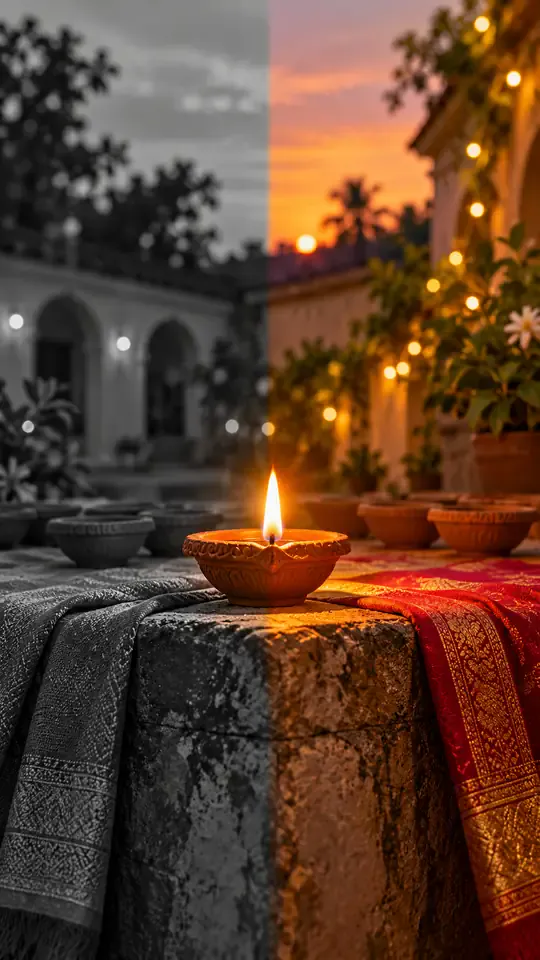
One Photo, One Reveal
Upload a picture from your camera roll. The tool stages the whole transition, so your only real choice is the outfit that waits on the other side of the diya glow.
Seen the black-and-white to color Diwali reveal everywhere? Upload one portrait and this diwali ai transformation video tool shows you in a plain everyday look, lights a small diya, then turns the scene into color with a festive outfit. Every diwali ai transformation video starts from your own photo, not a stock clip, so the reveal feels personal. You get a 15-second vertical clip, sized for the phone you already use. Start with one clear photo where the face is sharp and the light is even, because the face carries the whole reveal from the first frame to the last.
1Dein Foto hinzufügen
2Qualität & Länge768p · 15s · 9:1660 credits
Kein Abo · Fertig in etwa 3 Minuten · Keine Kosten bei Fehlschlag
Only upload photos of yourself or people who clearly said yes.
Trend Background
A diwali ai transformation video is a short before-and-after reel. The diwali black and white to color trend starts with a person in a plain everyday outfit, often shown in black and white, holding a small clay diya. Then the light brightens the courtyard, the frame fills with warm gold and red, and the everyday clothes give way to festive clothing such as a saree, a kurta or a lehenga. Creators post it as a one-take reveal with string lights, a calm camera and a steady pace, so the viewer can read the change in a single second. This diwali ai transformation video page turns your own portrait into the same reveal, using the same beats in the same order, so the finished clip keeps your face from the first frame to the last. The format fits festival week well: families send one reel to the group chat, the courtyard is lit with rows of clay lamps, and marigold garlands and rangoli sit at the edge of the frame. Because the reveal is short and bright, the clip works as a greeting for relatives who live far away, and it can be posted with a line of thanks, a sweet-shop photo or a family portrait from the same year.
Create My ClipThree Steps
Upload one clear portrait with your upper body visible and even light on the face. Making a diwali transformation from a photo needs only that one picture, with no keyframes and no second image. Use a photo you have permission to edit, and skip busy backgrounds so the reveal is easy to follow from the first frame.
Choose the red-and-gold saree, the ivory kurta with gold embroidery or the jewel-tone lehenga for your diwali ai transformation video. The clip always starts in a plain everyday look in black and white, then turns to color with the outfit you picked. The button shows the exact credit price before anything is charged, so you know the cost of the clip before you commit.
Press Create My Clip and keep this page open for a few minutes while the clip is filmed. When it finishes, download your diwali ai transformation video as a vertical MP4 with no watermark and post it wherever you like. If a system error stops the clip, your credits are returned automatically, so you only keep credits for clips that finish.
The Straight Story
A plain list, so nothing surprises you after you press the button.
The Trend
The Diwali AI transformation format took over feeds because the before-and-after reads in one second. You do not need editing software or a film crew to take part. This tool takes an ordinary portrait, starts it in black and white, lights the diya and reveals the festive look in color, with a diwali transformation video that is easy to share. It is an independent tool, not affiliated with any creator who posted the trend.
Upload a picture from your camera roll. The tool stages the whole transition, so your only real choice is the outfit that waits on the other side of the diya glow.
Every diwali ai transformation video uses the flame of a clay diya as the transition cue, so the color change lands on a clear beat instead of a random cut.
The diwali ai transformation video file is a clean vertical video that drops straight into a story, a reel or a family group chat during the festival week.
Plain answers on photos, outfits, length and credits.
Create My ClipUpload one clear portrait, pick a saree, kurta or lehenga, then press create. A few minutes later you get a vertical 9:16 clip that starts in black and white, lights a diya and turns the scene into color with the outfit you chose. You never write a prompt or open an editor. For the wider trend and how people plan the reveal, read how to do the AI trend.
Yes. This diwali ai transformation video can carry a saree reveal. Choose the red-and-gold saree, and the clip starts with your everyday outfit in black and white, holds on the diya for a moment, then reveals the saree in full color when the flame brightens.
Every diwali ai transformation video clip is 15 seconds, and the create button shows the exact credit price before you pay. Credit plans and packs are listed in the pricing section of this page. Credits are charged only when you press create, so browsing the outfits costs nothing.
This diwali ai transformation video version is built for people. The reveal is set up around a person holding a diya, so a pet photo will not give the same result. Use a clear portrait of a person who said yes.
You can choose a red-and-gold saree, an ivory kurta with gold embroidery or a jewel-tone lehenga. Each diwali ai transformation video keeps the chosen outfit stable after the color reveal, with the same colors and fabric from the reveal to the last frame.
The diwali ai transformation video tool is built to keep your face, hair, skin tone and body proportions the same through the transition, but it is still generated video. Check the result before you post, and try a sharper, evenly lit photo if the face drifts.
Yes. Every diwali ai transformation video has a soft instrumental track with tabla, bansuri and light percussion. There are no lyrics and no spoken lines, so you can add your own caption or a song from your app after you download it.
Pick a single, sharp portrait with the upper body visible, even light on the face and a plain background. Face the camera, and avoid sunglasses, heavy filters and group shots, because the reveal is built around one person. A diwali ai transformation video keeps your face, hair and skin tone from the first frame to the last, so a clear photo of you or someone who said yes gives the best result. If the first clip drifts, try a brighter photo taken near a window and run it again.
No. This diwali ai transformation video generator is an independent tool. It is not affiliated with any creator, platform or brand that posted the trend, and it uses the trend name only to describe the style. Read the consent line before you upload, and keep to photos you have the right to use.
Create My Clip
Create My Clip